Short answer
DockAlly is a Mac app that rebuilds your real macOS Dock for each kind of work. You make a profile for Coding, Designing, Studying or anything else, and switching rewrites the Dock to match. It costs $3.99 once and runs on macOS 26 on Apple silicon.
I want to talk about the most boring problem I have ever spent months on. My Dock.
In the morning I write code. So I want Xcode, Terminal, the Simulator and a couple of browsers sitting at the bottom of the screen. In the afternoon I usually do design work, and suddenly I want Figma, Photos and Preview instead. At night I just want my normal things back.
For a long time I did this by hand. Drag Figma in. Drag Xcode out. Right click, Options, Keep in Dock. Then do it all again the next day. It takes maybe a minute, and it is the kind of minute that makes you feel a bit silly, because a computer should be doing this for you.
I looked for an app that fixed it. I found Dock replacements, the ones that put a second floating bar on your screen. I did not want a second bar. I wanted the Dock Apple ships to change when my work changed. I could not find that, so I built it.

What it does
You make a profile for each kind of work. Coding, Designing, Studying, Personal, whatever you like. Each profile is a full Dock. When you switch, your real macOS Dock is rebuilt to match.
- Apps are grouped. Related apps sit together with a small gap between groups, so the Dock is easier to scan.
- The files you actually opened sit by the Trash. Recent projects in the Coding profile, a grid of recent images in Designing.
- It can switch on its own. It notices which apps you have been living in and moves you to the right profile.
- Your old Dock is safe. It is saved before the first change, and one click puts it back, folder sort orders and all.
More than a Dock switcher
Switching to Coding is never just about icons. I also open the same project folder, the same few browser tabs, and I put my windows in the same places. So a profile can carry that too: apps, folders, links, window positions, and a focus timer that counts down next to the Dock.
One rule: nothing opens by itself. When you switch, a small button appears beside the Dock and waits for you. A profile switch should never take over your screen.
The flicker I was proud of fixing
macOS has to restart the Dock to change it. When it restarts, the Dock blinks out and comes back, and it looks like something broke. DockAlly covers that moment. Glass tiles wrap each icon, slide together into one bar while the Dock reloads behind them, then split over the new icons and fade away.
And then I added animals
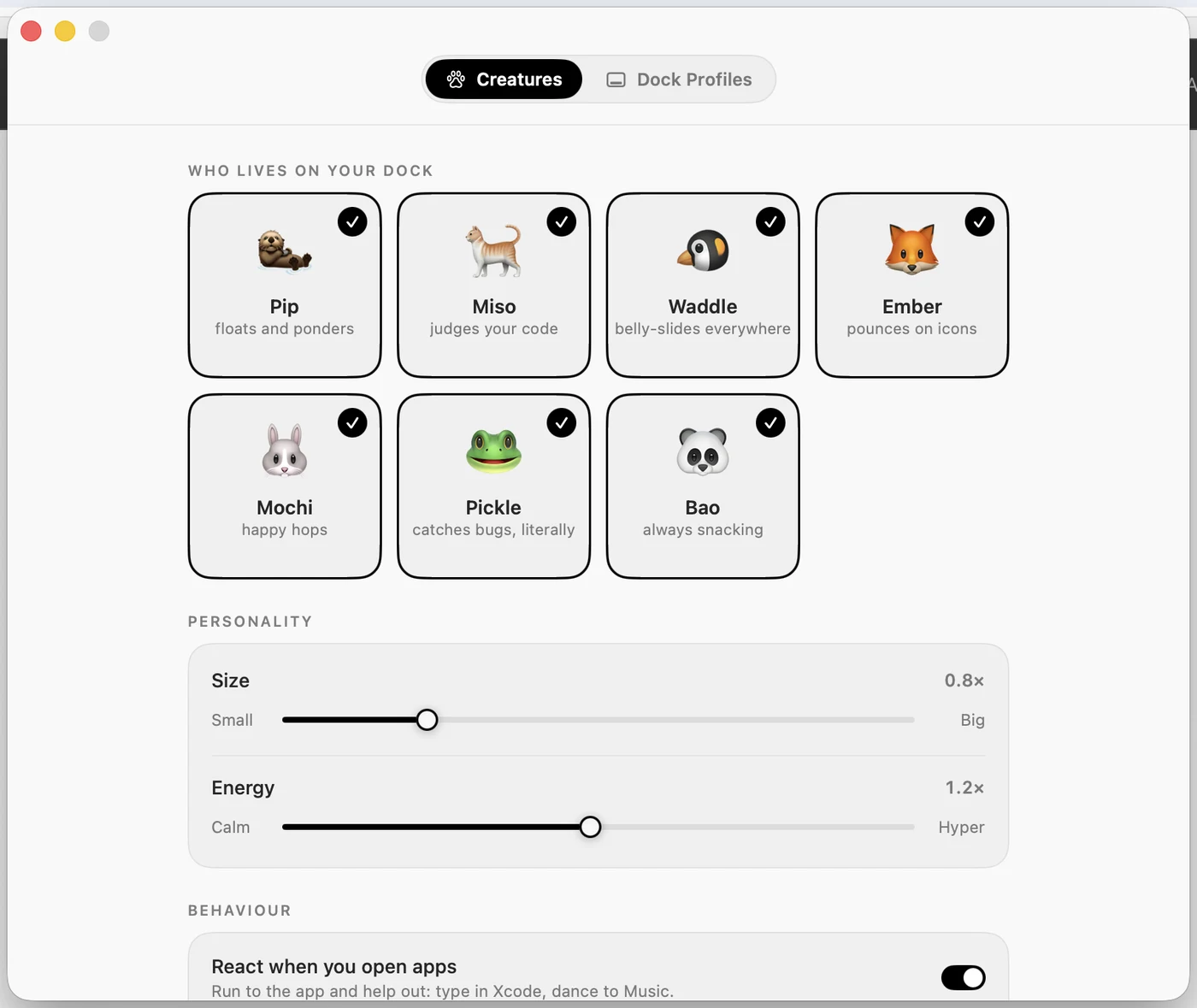
Seven small creatures live on the Dock: an otter, a cat, a penguin, a fox, a bunny, a frog and a panda. Open Xcode and the nearest one runs over and types along on a tiny laptop. Play music and the cat dances. Walk away and they fall asleep until you come back. Every frame is drawn by the app itself, and you can turn them all off and keep everything else.
The honest details
- macOS 26 or later, Apple silicon only. Not Intel.
- Nothing leaves your Mac. No account, no server, no analytics in the app.
- It needs Accessibility access, only to read where Dock icons are and to put windows back.
- $3.99 once. No subscription. Refunds within 14 days, no questions.
I built DockAlly alone, mostly in the evenings. If you have ever dragged the same icons in and out of your Dock, I think you will like it. See it at dockally.com.